Text2Speech-Read2Me&TTS3.7.5
Publisher Description
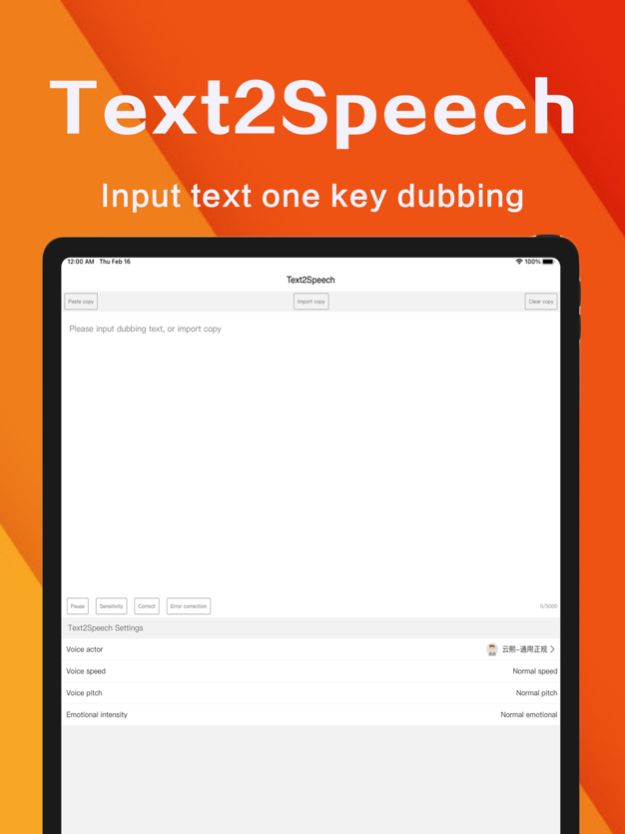
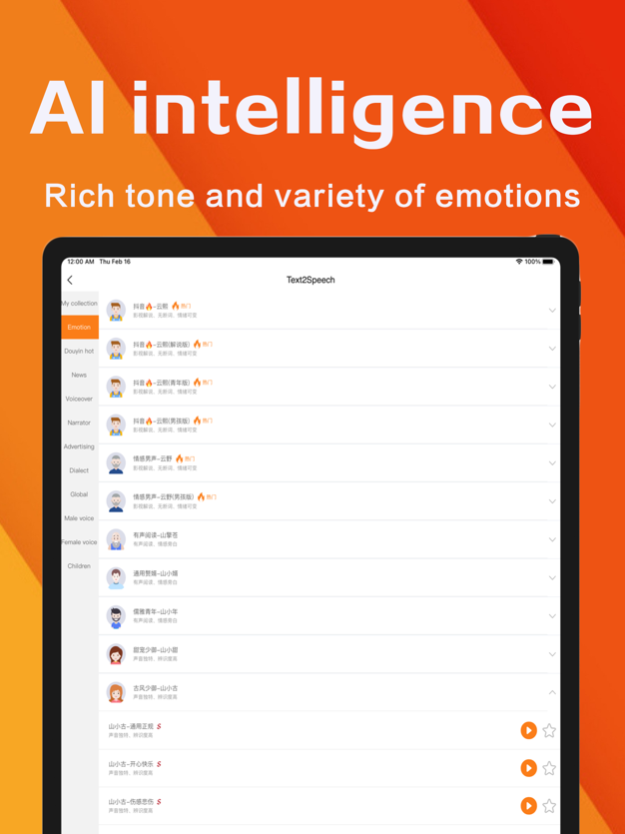
Text2Speech is a text-to-speech dubbing software, which is suitable for short video dubbing of we media, film and television narration dubbing, game narration dubbing, animation narration dubbing, enterprise commercial and super advertisement dubbing, propaganda dubbing and other scenes. With simple Settings, you can quickly achieve high-quality dubbing works, with simple operation and perfect functions. It combines the most advanced intelligent algorithm and speech synthesis technology to realize automatic recognition of user input text and convert it into synthetic speech output. This software can provide you with a variety of different language types, with a variety of accents, in order to meet the user's diverse pronunciation needs. It can also automatically recognize the grammatical expression of text and adjust the tone of the speech output so that the voice print is realistic and natural. Text2Speech also supports a visual design that allows you to adjust the parameters of text-generated speech to your liking: speed, pitch, emotional intensity, and many other speech parameters. In addition, it can save all the output for easy reuse at any time. In short, Text2Speech provides you with the most professional speech synthesis technology, so that you don't have to worry about the quality of speech.
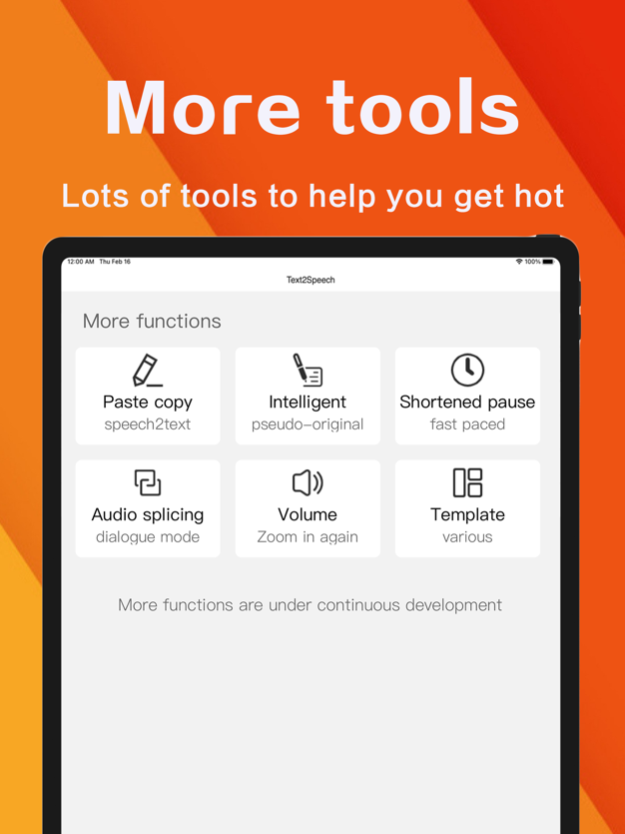
I. [Core Function]
Intelligent speech synthesis
dewatermarking
Copy extraction
Copywriting intelligent rewriting
Text error correction
Multi-player dubbing
Volume amplification
Pronunciation correction
Stop regulation
Modifying video MD5
Ii. [Product Features]
Simple operation, input text, one key synthetic speech
Support export mp3, mp4 files: the generated mp4 files can be downloaded to the mobile phone album, mp3 files can be copied to the u disk or memory card to play
300+AI intelligent emotional voice, including the popular Douyin anchor timbre, dialect, children's voice, foreign language, male voice, female voice, etc
The pronunciation of people's emotions is optional, you can choose sad, happy, angry, fear and other 10 kinds of emotions under the pronunciation
VIP subscription Instructions:
1. Subscription period: 1 month, 3 months, 12 months
2. Subscription price: RMB 48 yuan for consecutive month, RMB 98 yuan for consecutive season and RMB 208 yuan for consecutive year
3. 24 hours before the VIP privilege expires, the fee will be deducted automatically from the iTunes account and the renewal fee will be determined
4. Cancel automatic renewal: If you need to cancel automatic renewal, please manually turn off automatic renewal function in iTunes/Apple ID Settings management 24 hours before expiration. This subscription will be automatically renewed if it is not closed at least 24 hours before expiration.
5. If a free trial period is provided, any unused portion will be forfeited when the user purchases a subscription to the publication (if applicable).
6, the privacy policy: https://yyhcuserprotocoltt.wowjesse.com/
7, subscription terms: https://kdocs.cn/l/ch0twj2vkLXA
May 13, 2024
Version 3.7.5
1.优化音量放大功能
2.优化使用体验
About Text2Speech-Read2Me&TTS
The company that develops Text2Speech-Read2Me&TTS is Suzhou Chengfeng Network Technology Co., Ltd.. The latest version released by its developer is 3.7.5.
To install Text2Speech-Read2Me&TTS on your iOS device, just click the green Continue To App button above to start the installation process. The app is listed on our website since 2024-05-13 and was downloaded 1 times. We have already checked if the download link is safe, however for your own protection we recommend that you scan the downloaded app with your antivirus. Your antivirus may detect the Text2Speech-Read2Me&TTS as malware if the download link is broken.
How to install Text2Speech-Read2Me&TTS on your iOS device:
- Click on the Continue To App button on our website. This will redirect you to the App Store.
- Once the Text2Speech-Read2Me&TTS is shown in the iTunes listing of your iOS device, you can start its download and installation. Tap on the GET button to the right of the app to start downloading it.
- If you are not logged-in the iOS appstore app, you'll be prompted for your your Apple ID and/or password.
- After Text2Speech-Read2Me&TTS is downloaded, you'll see an INSTALL button to the right. Tap on it to start the actual installation of the iOS app.
- Once installation is finished you can tap on the OPEN button to start it. Its icon will also be added to your device home screen.
Program Details
General
System requirements
Download information
Pricing
Version History
version 3.7.5
posted on 2024-05-13
May 13, 2024
Version 3.7.5
1.优化音量放大功能
2.优化使用体验
version 3.7.0
posted on 2024-03-28
Mar 28, 2024
Version 3.7.0
Optimize the user experience.
version 3.6.5
posted on 2024-02-22
Feb 22, 2024
Version 3.6.5
1. Automatically save the home page editing copy
2. Optimize the user experience
version 3.6.3
posted on 2024-01-14
Jan 14, 2024
Version 3.6.3
1. Expand the number of words in a single synthesis to 1w
2. Optimize the user experience
version 3.6.2
posted on 2024-01-11
Jan 11, 2024
Version 3.6.2
1. Expand the number of words in a single synthesis to 1w
2. Optimize the user experience
version 3.5.6
posted on 2023-12-19
Dec 19, 2023
Version 3.5.6
Fixed optimization known issues
version 3.4.3
posted on 2023-11-21
Nov 21, 2023
Version 3.4.3
1. Optimize the copywriting intelligent rewriting function
2. Optimize the user experience
version 3.4.2
posted on 2023-11-03
Nov 3, 2023
Version 3.4.2
1. Add AI writing
2. Optimize the user experience
version 3.4.0
posted on 2023-10-09
Oct 9, 2023
Version 3.4.0
1. Add the function of adding background music
2. Add the custom background music function
3. Optimize the user experience
version 3.2.0
posted on 2023-09-01
Sep 1, 2023
Version 3.2.0
1. Add background music
2. Optimize the user experience
